
Hello again. Another day another blog, and today we'll be going over the ChipHead Control panel, so without further ado, let's start with our home page.
The homepage.
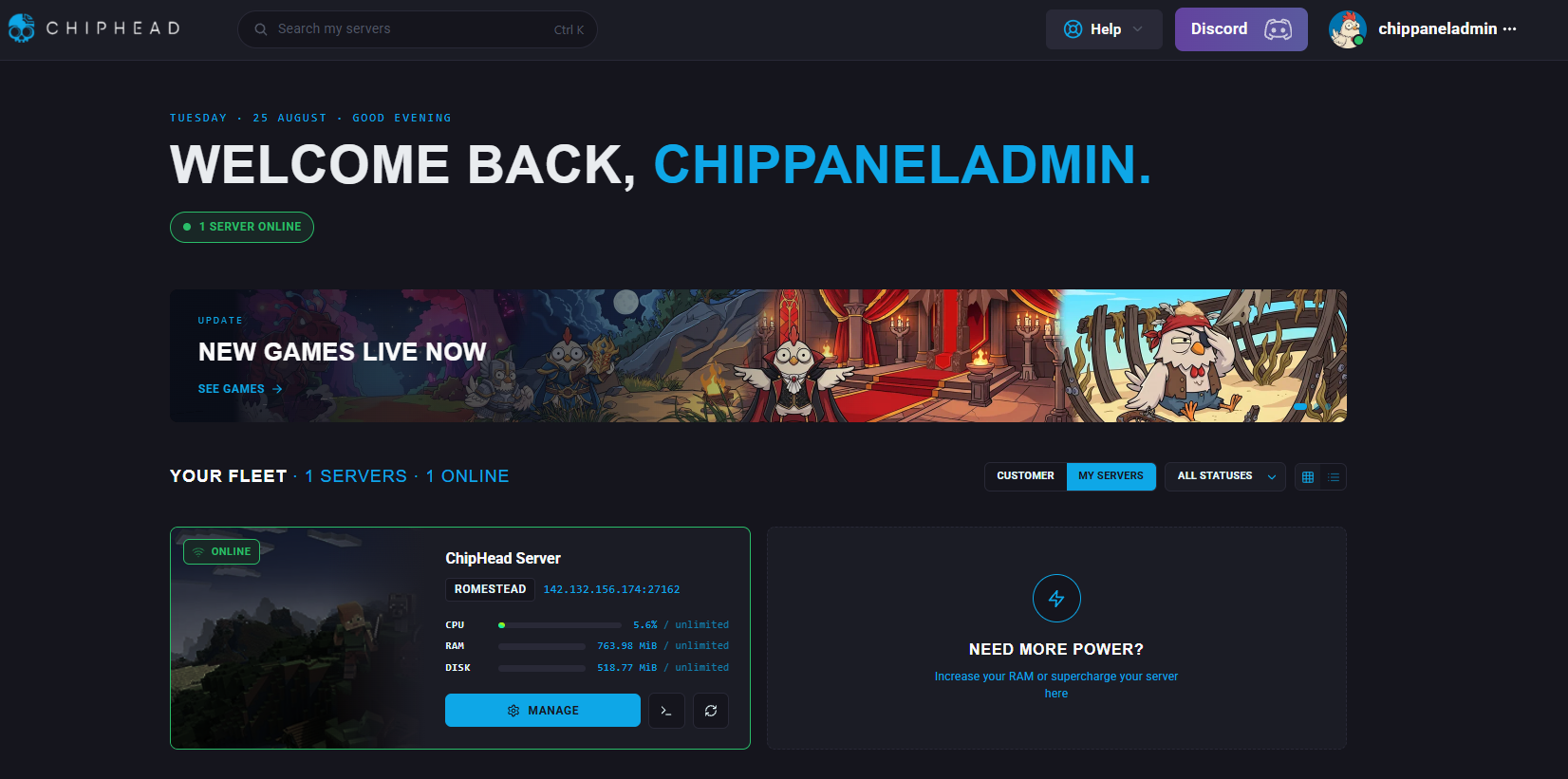
The homepage as shown above is where you can view updates on your panel and switch between multiple servers. Selecting to manage a server will take you through to our bespoke dashboard.
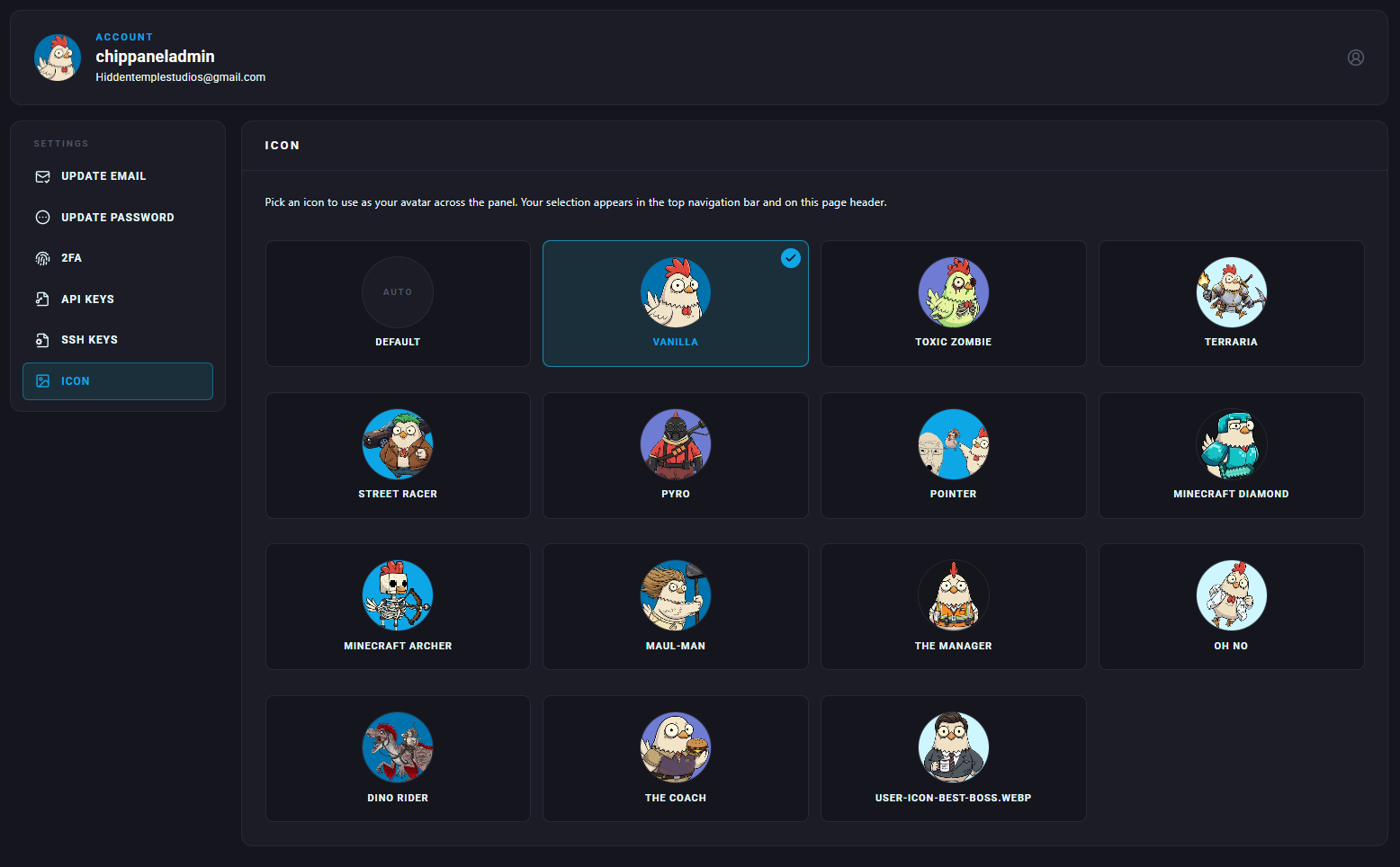
Our link to discord for support can be found at the top of the page, along with a shortcut to your account settings, you can even change your user icon to best reflect your personality. There is also a help button... that actually helps you when you click it, in a very cool way. Keep reading and we'll get to it.
We designed the panel to have a cleaner interface, smarter navigation, and packed it with genuinely useful features to make server management feel less like admin work and more like a games console.
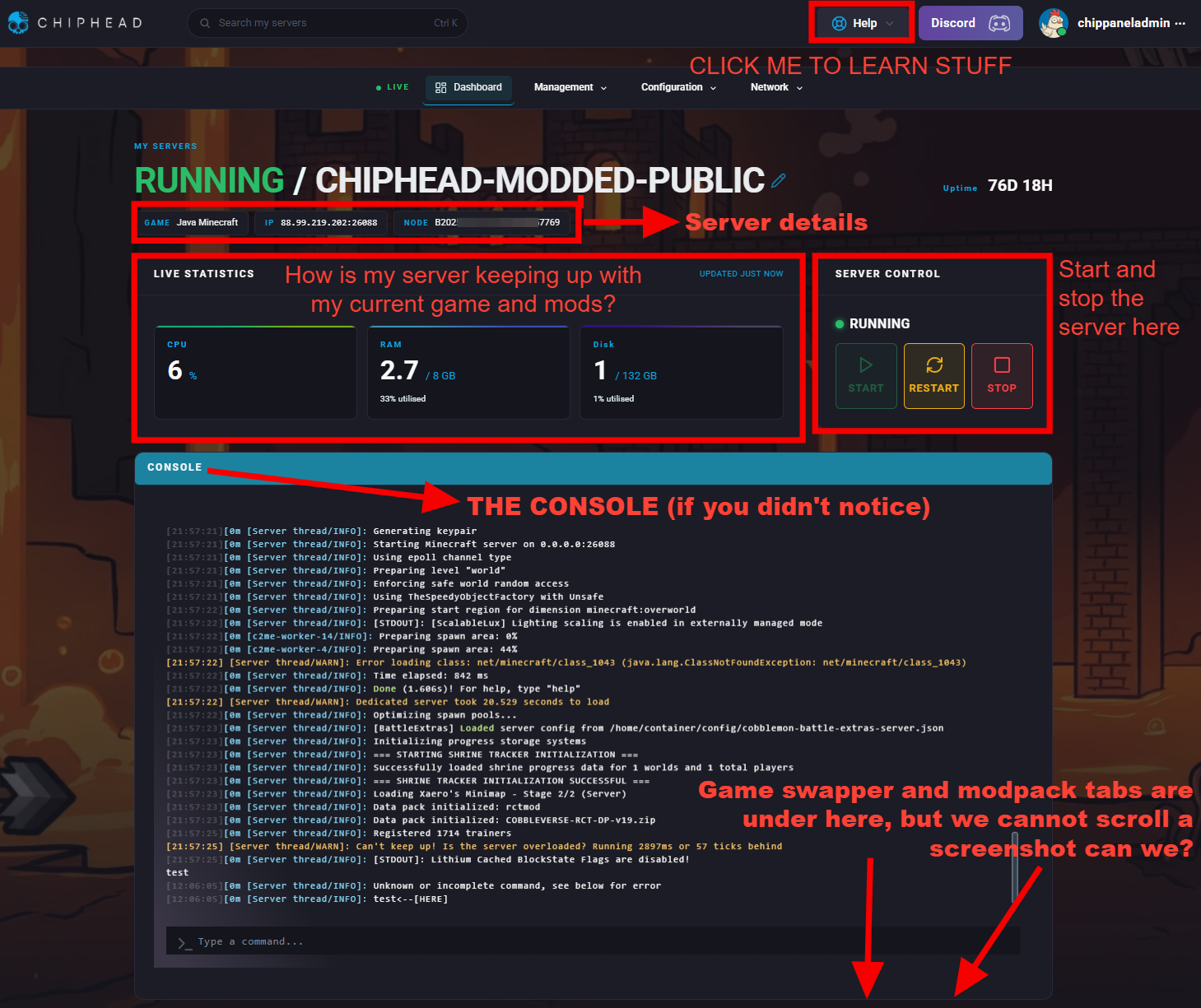
Easy to follow guides
About that help button: Rather than dropping you into a cluttered dashboard and expecting you to know where everything is, ChipHead breaks down tasks in a clear, step-by-step flow for you do follow the first time round.
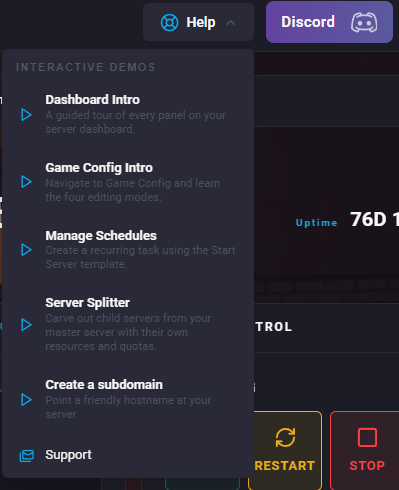
Picking a guide will give you an interactive demonstration. ChipHead currently has 5 guides:
An introductory overview of our Dashboard.
A guide to the game / instance configurator.
A guide to custom scheduling or selecting from pre-set schedules.
A lesson in custom splitting your server to run two games.
A guide on creating a subdomain (so people can connect to your server with a cool name instead of number spaghetti).
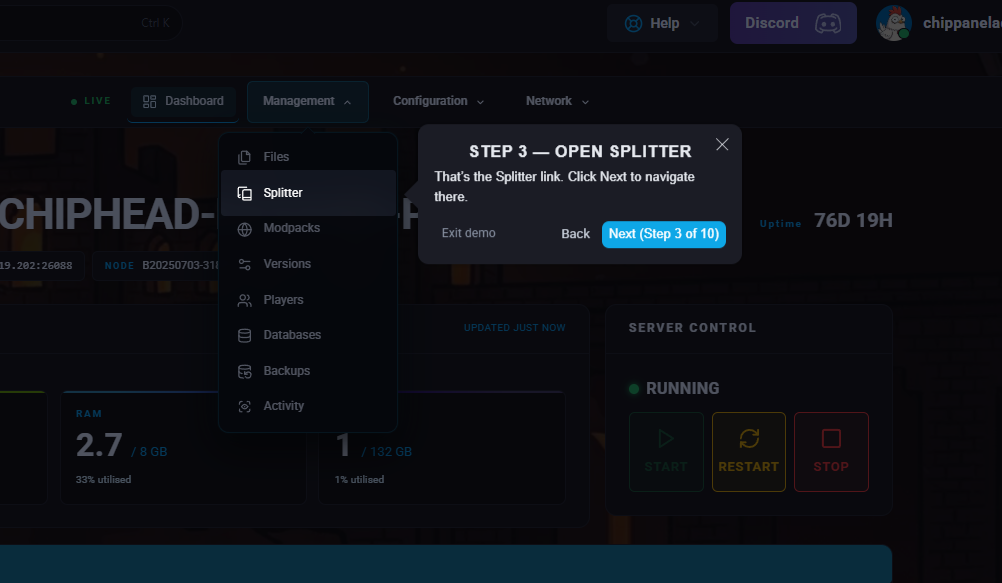
Think of our help button guides like following a simple online form: choose what you want to do, select the relevant options, and the panel takes you to the next sensible step. It keeps server management organised, easier to understand, and less likely to feel like a hunt through endless menus.
Swap your games and add mods to your server
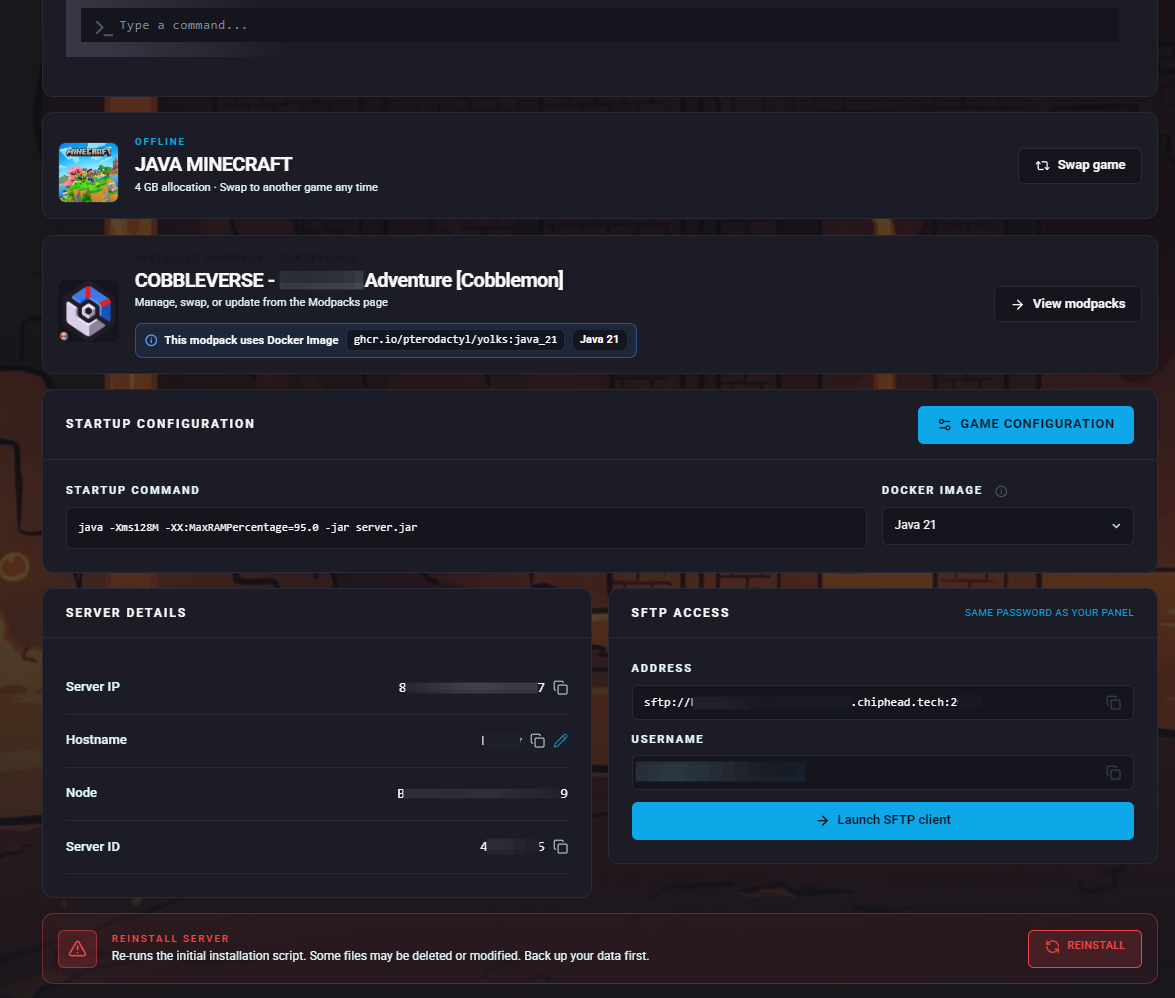
Below the console you will find a handful of tabs. Starting with the first tab, you will find the game that you are currently running.
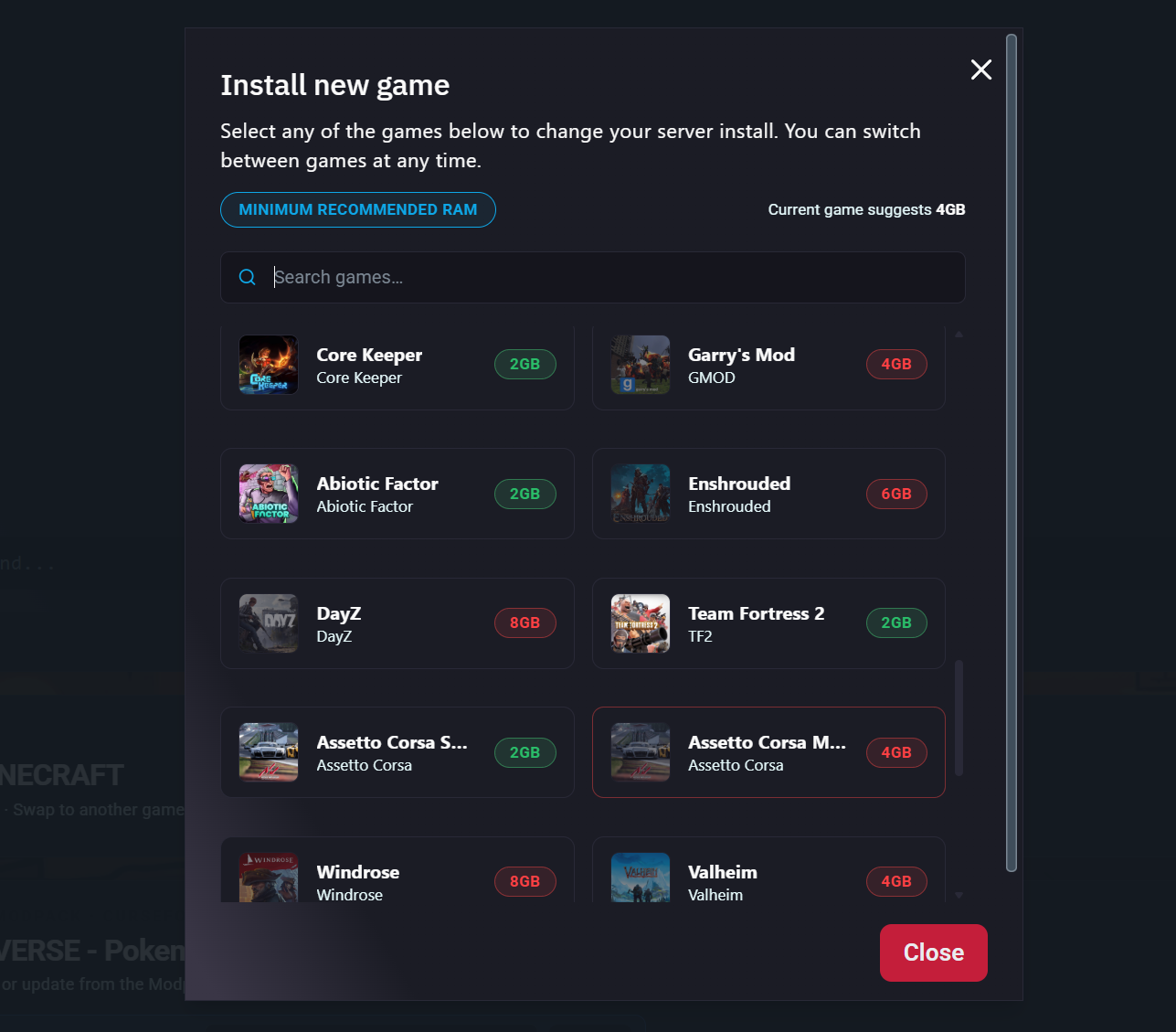
Clicking the swap game button on the right will open a tab with ChipHead's constantly growing game library. You can run any game and will be given an option to upgrade your server should the chosen title not meet the minimum recommended server requirements.
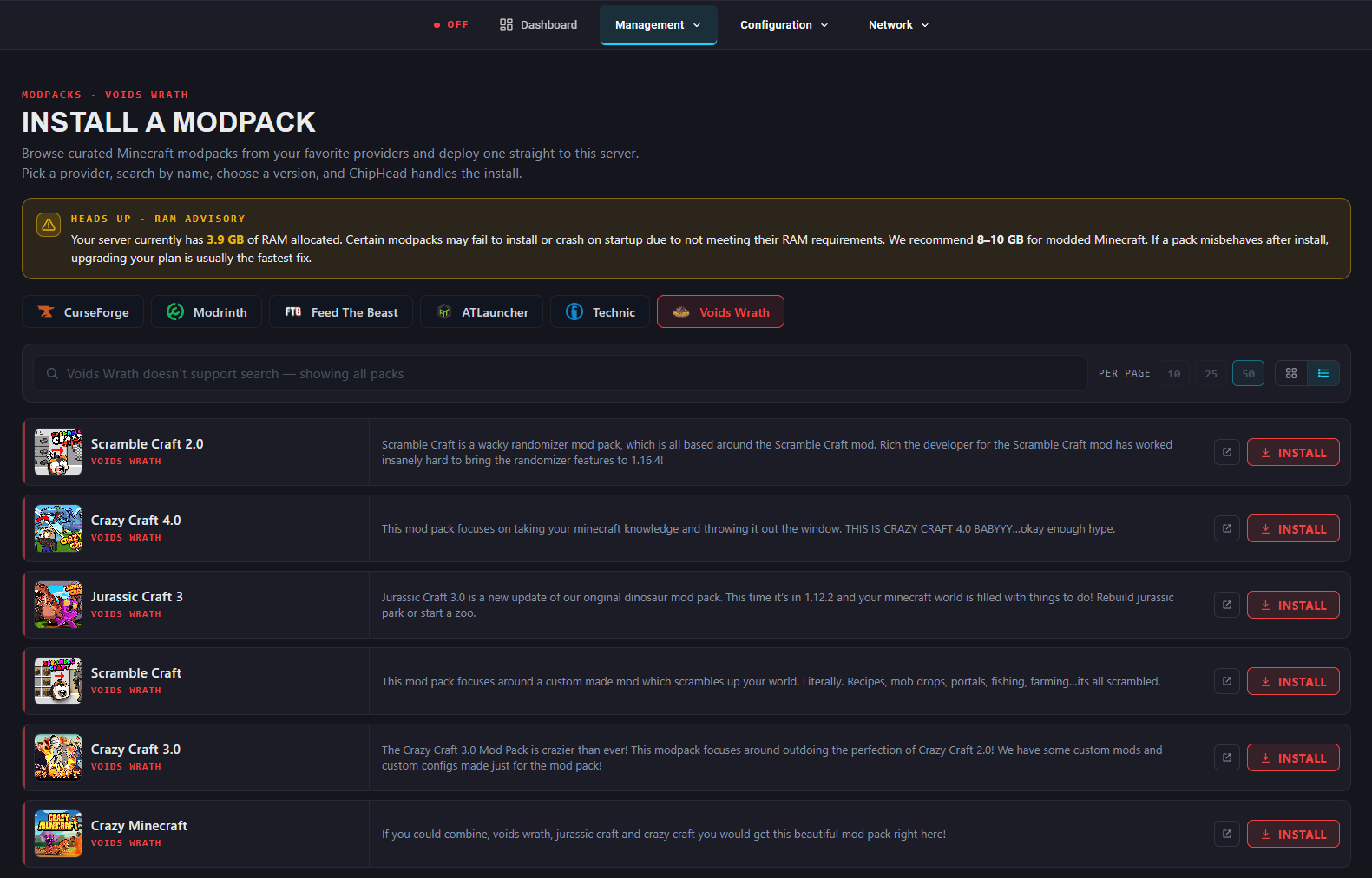
If a mod or modpack has been installed, it will show up in an additional tab below the game. For Minecraft there is an extensive selection of mods, that can be browsed and installed with ease through ChipHead Control.
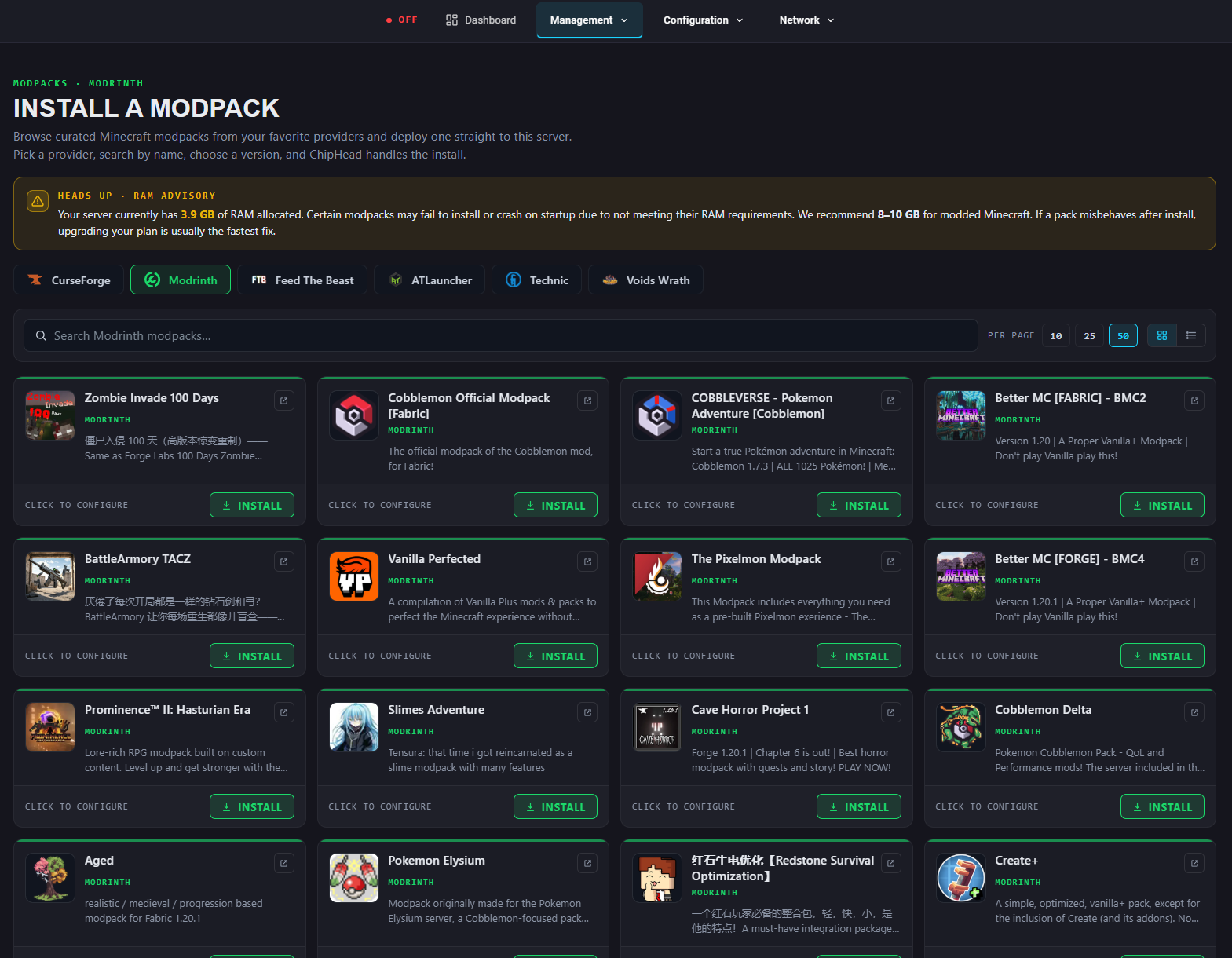
You can also customise your search settings and filter by category
Users can also find a shortcut to the server game configurator, this is also accessible on the top menu row. You can configure your server in one of three ways.
Basic mode covers the fundamentals such as difficulty, gamemode, whitelist, PvP, and spawn rules, laid out as toggles and dropdowns instead of a wall of text.
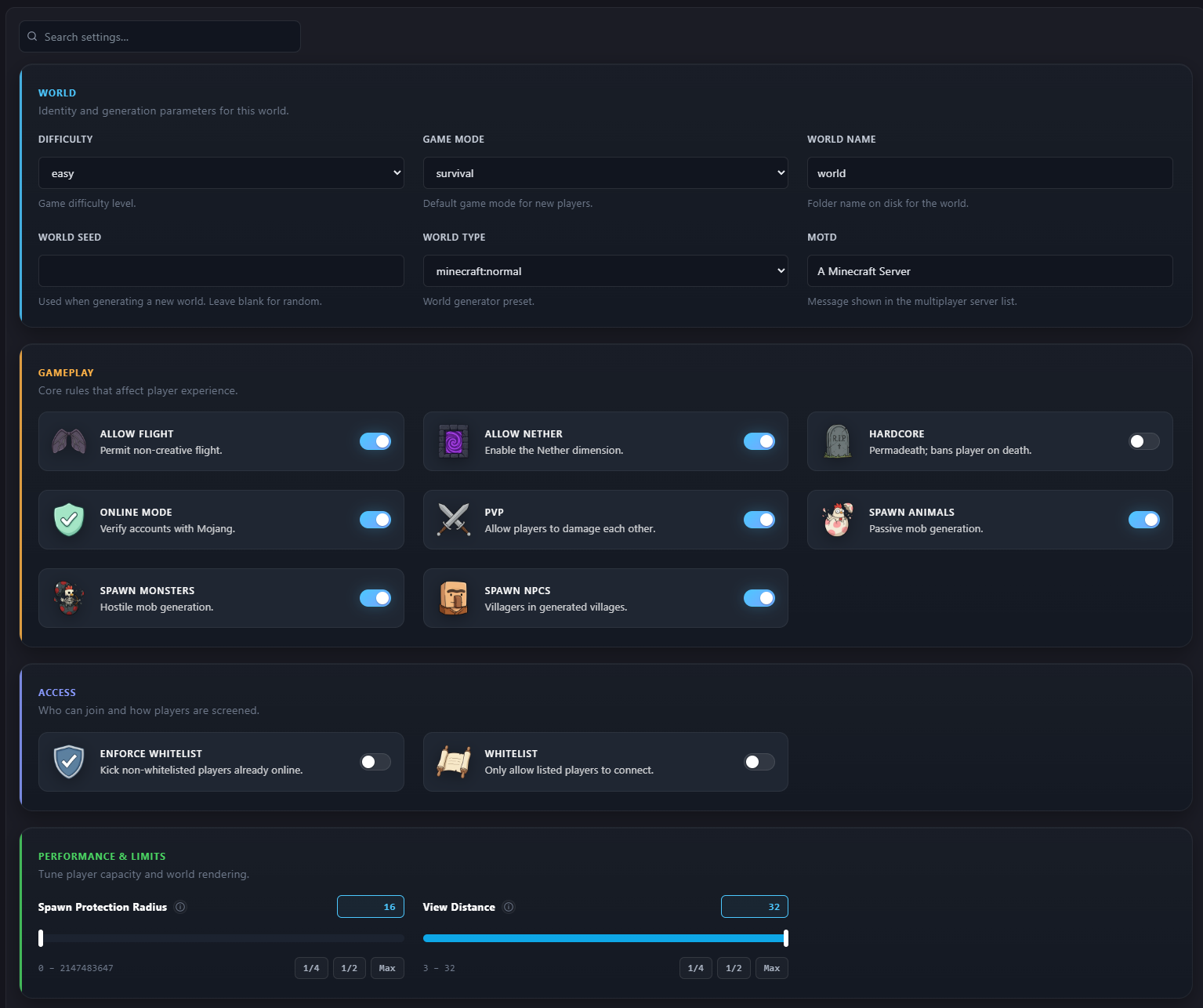
Advanced mode hands power users the finer dials: view distance, spawn protection radius, chained neighbour update limits, the settings you only start caring about once you know why they matter.
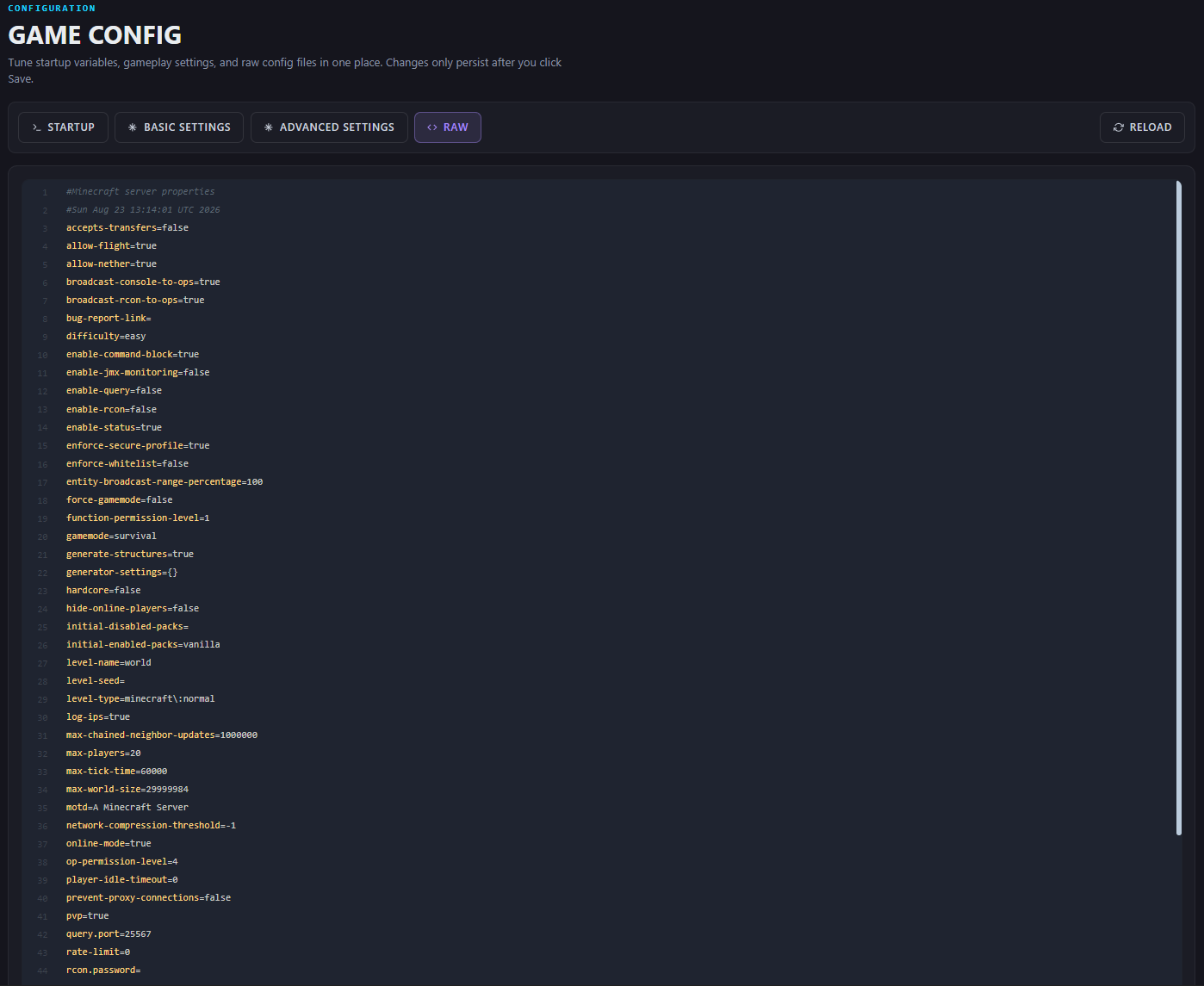
RAW mode drops you straight into the actual server.properties file, timestamped and all, for anyone who wants to edit it directly without the panel getting in the way. Three levels, one page, and nobody's forced to use the mode above their comfort level.
Keep track of who's actually playing
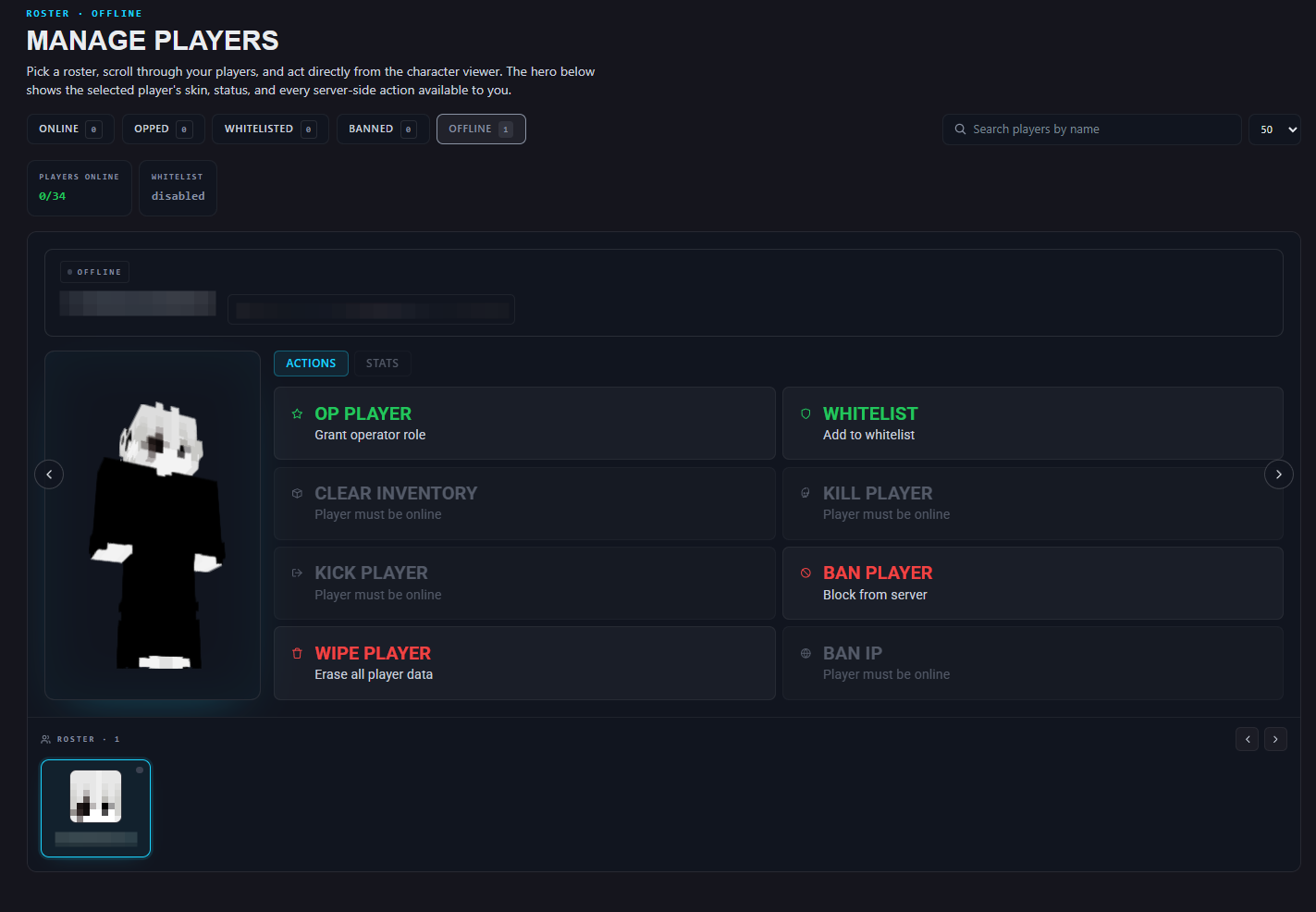
ChipHead's Player Manager gives you a live view of who's online, who's been banned, and who needs a nudge, without needing to dig through console logs to figure out who did what. It's a small thing until the third time someone asks "who broke the nether portal," and you can just look it up.
Ditch the IP address for a fancy name
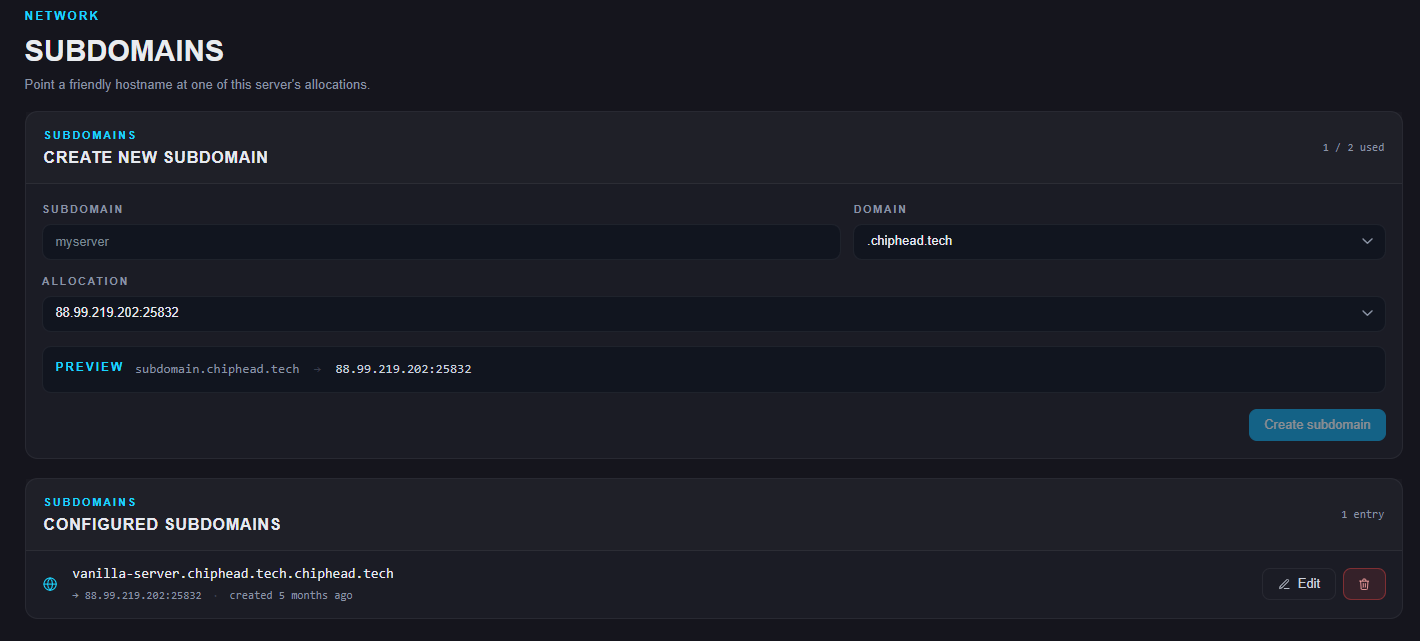
Nobody wants to hand our a string of numbers and a port to remember. The Subdomain Manager lets you point a proper hostname at your server, something like play.yourserver.chiphead.tech instead of 88.99.219.202:26088.
Backups you can actually dig through
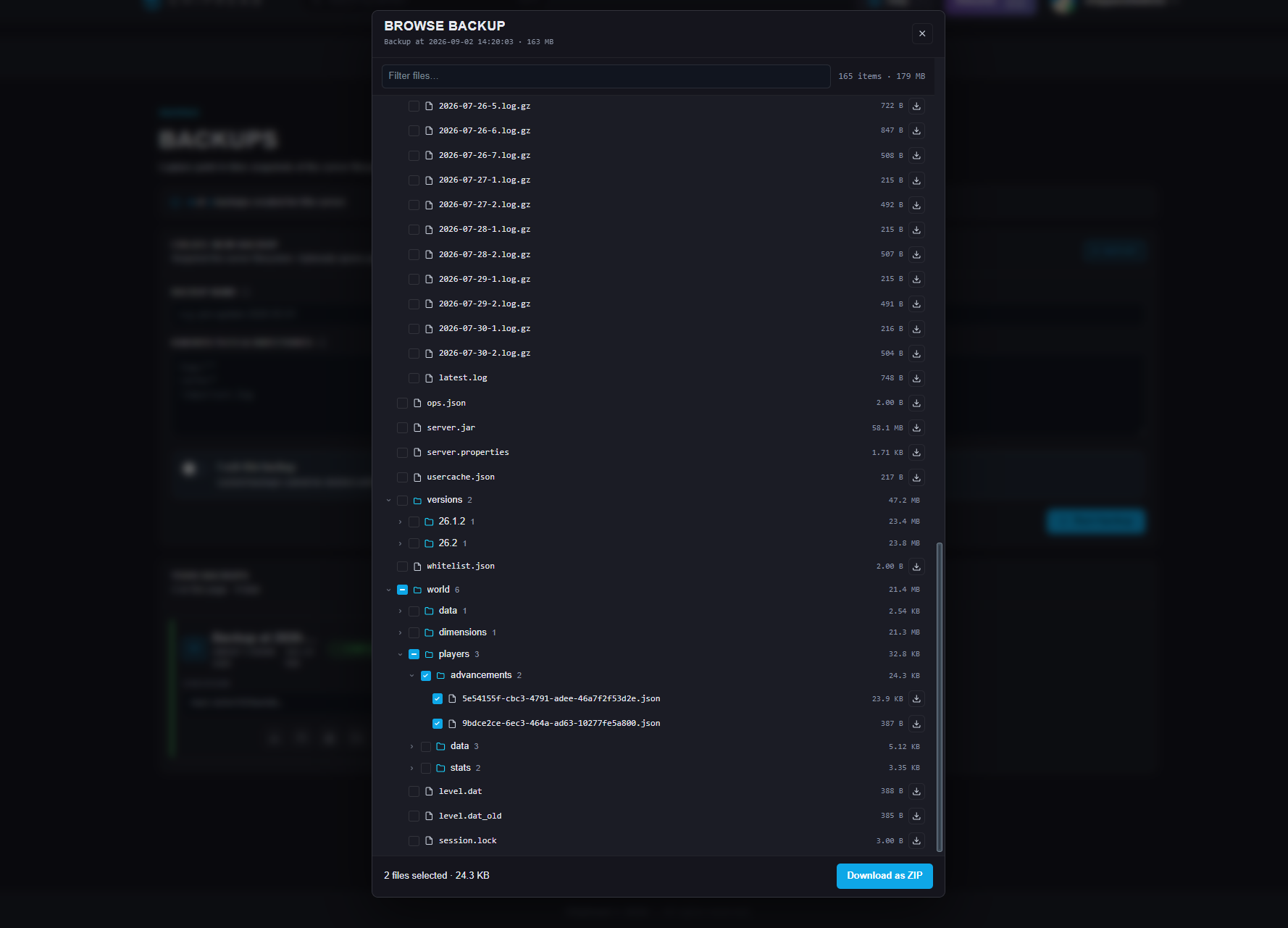
Every panel says it does backups. What matters is what happens after something goes wrong. ChipHead lets you browse the contents of a backup and pull out a single file or folder, instead of nuking your live server and restoring the whole thing just to recover one map region or one config file you shouldn't have touched. You get four backup slots as standard, or ten if you're on Premium — enough to keep more than one point to fall back to.
Scheduling without learning cron
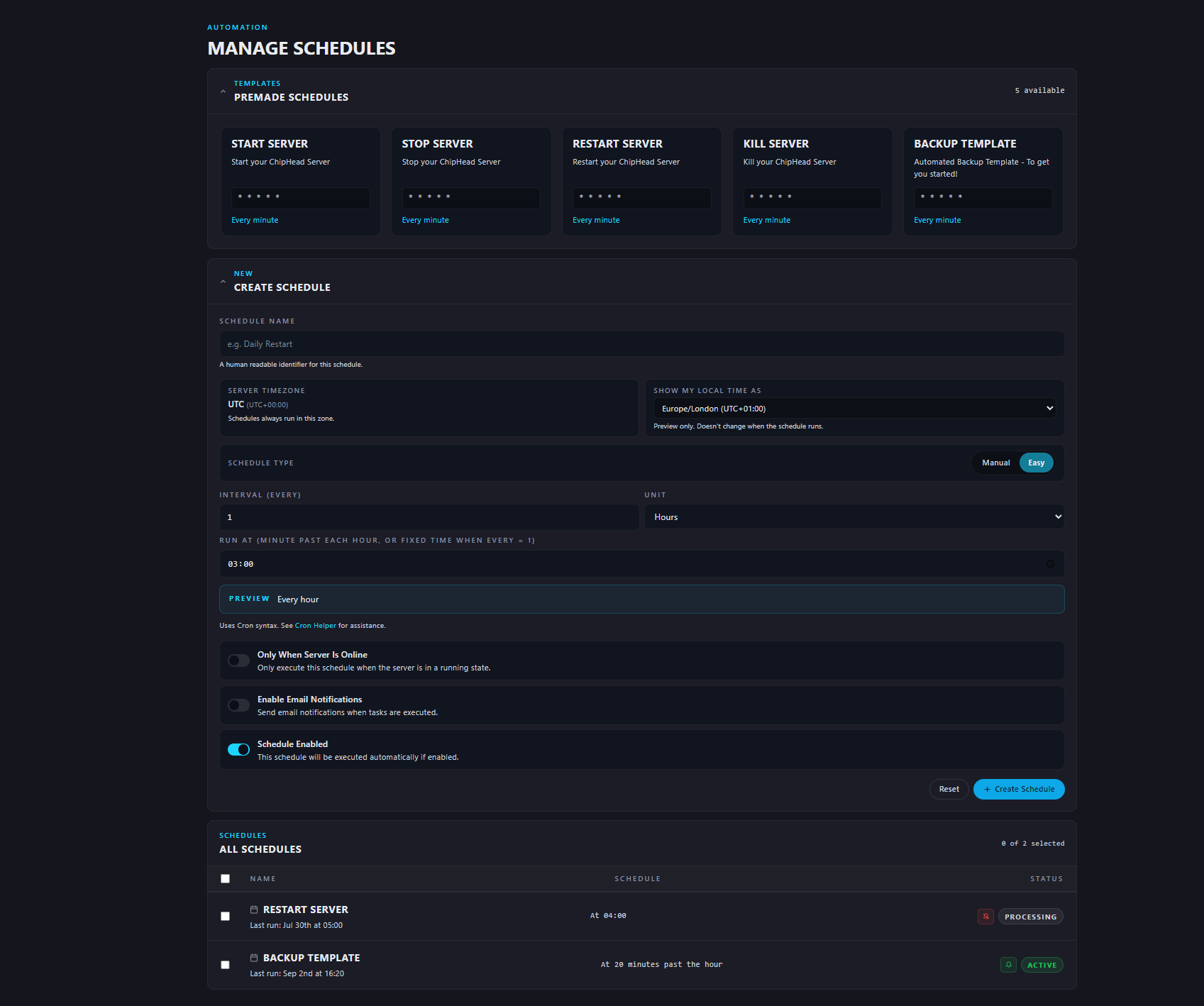
Restarts, backups, routine maintenance — all things that should happen automatically, and none of which should require you to learn cron syntax to set up. ChipHead's scheduler ships with ready-made templates for the common jobs (the Help menu even walks you through creating one, step by step, the same way it does everything else), so automating your server is a form to fill in, not a syntax to memorise.
Splitting one server into several
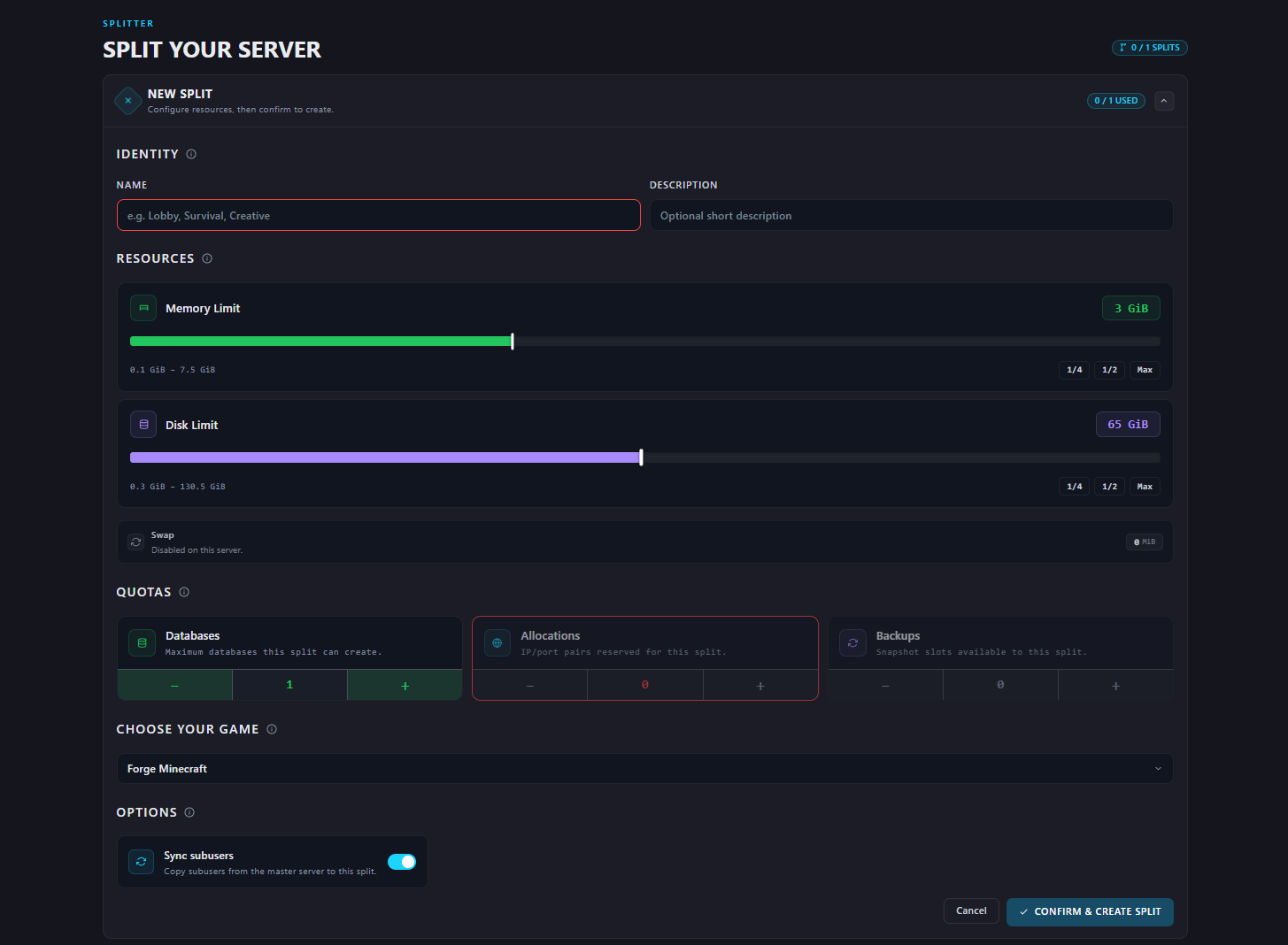
The Server Splitter lets you carve a second server out of your main one, with its own slice of resources and its own quota once again shown off step-by-step in the Help menu's guided demo. It's how one panel ends up running a Minecraft server and a Valheim server at without paying for two full setups.
Bringing people in without handing over the keys
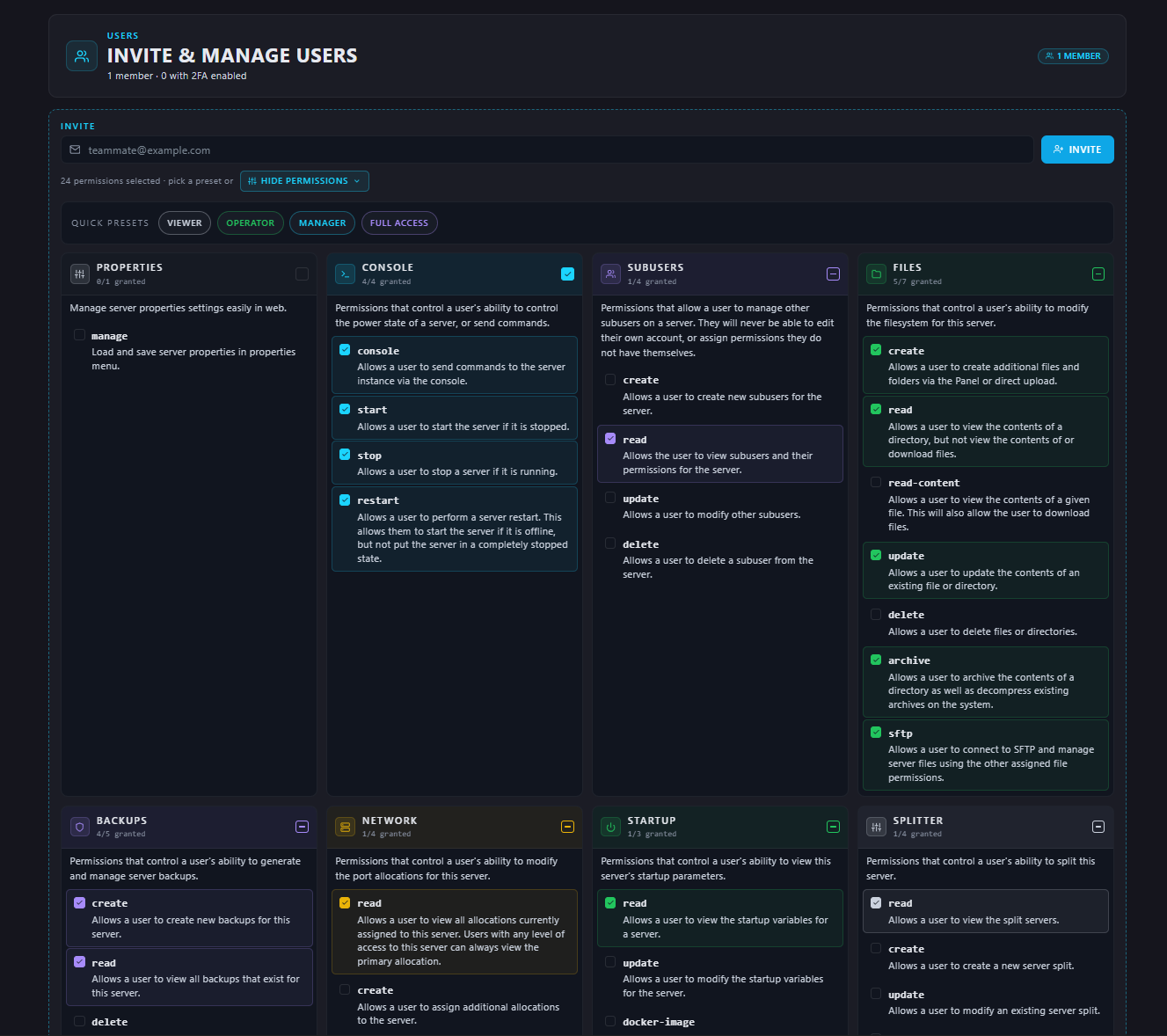
Panel Sub-users let you invite friends, moderators, or staff onto your server with permission presets for the common roles, or granular access if you want to pick exactly what a user can change or access.
That's the tour. Cleaner interface, smarter navigation, and a panel that tells you what to do next instead of making you go hunting for it. Exactly what we set out to build.