Updated April 2026
If you run a 7 Days to Die dedicated server, the best server mods for multiplayer are the ones that install cleanly, match your players' clients when required, and survive the game's V1.0 and V2.x updates. This shortlist covers eight mods that map to real server-operator problems: overhauls that change the whole game, quality-of-life XML tweaks, progression changes, weapon rebalances, and a server-management API. For each one you get the install scope, current status, and honest flags where the author has not confirmed compatibility with the latest build. Everything links back to the author's own page so you can grab files from the canonical source.
How multiplayer mod install scope works
On a 7 Days to Die dedicated server, mods live in a Mods folder the server reads at startup. Some mods are XML-only and stay on the server; players connect with a vanilla client and nothing changes on their side. Others, especially overhauls, need every player to install the same mod version on their client as the server runs, or the connect handshake fails. A good rule of thumb: if the mod adds new assets, new zombies, or new UI, assume matched-client install. If it edits XML values only, it is probably server-side only. Easy Anti-Cheat must be disabled on both sides for any modded server, which is the single most common cause of failed joins. For a deeper walkthrough of the install flow, see our dedicated server setup guide.
Compatibility at a glance
| Mod | Category | Install scope | Current status |
|---|---|---|---|
| Darkness Falls | Overhaul | Server + matched client | Active |
| War3zuk AIO Overhaul | Overhaul | Server + matched client | Active, updated Dec 2025 |
| Mega Backpack | Quality of life | Server-side only | Unknown on V2.x |
| Hybrid Learn by Use | Progression | Server-side only | Active |
| Realistic Guns Overhaul | Weapons | Server-side, matched client recommended | No update since Jan 2024 |
| Dedicated Server API (DSAIK) | Server tooling | Server-side only | Active, thin cadence |
| Skills for HP and Stamina | Progression | Server-side only | Active |
| Craft Tier Six | Crafting | Server-side only | May overlap V1.0 vanilla |
Darkness Falls
Darkness Falls is the long-running overhaul by KhaineGB that adds classes, new zombie types, reworked progression, and extended tech tiers. For a multiplayer server it is one of the most ambitious single-mod installs you can run, and it changes enough systems that your players will feel they are playing a different game.
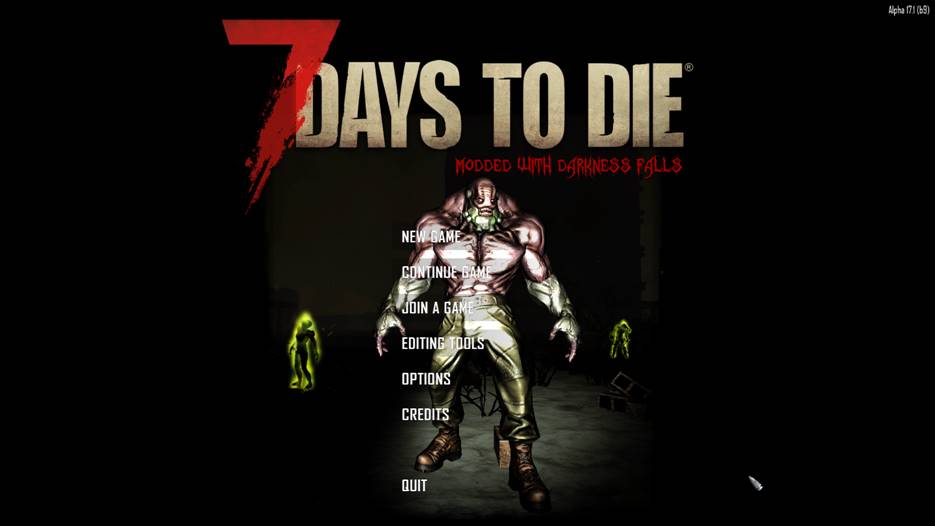
Image: KhaineGB — Darkness Falls
Install scope matters here. Darkness Falls is not a server-side drop-in: every player has to install the same Darkness Falls version as the server, which means you need to coordinate updates with your group before you push a new build. Plan for client downloads, and keep Easy Anti-Cheat disabled on both sides so joins do not fail at the handshake.
The mod is actively maintained on GitHub and through the author's Discord, so you can pin a specific release tag and freeze your server on it until your group is ready to move. Grab files from the author's Darkness Falls GitHub repository rather than third-party mirrors so you match what the wiki install guides assume.
War3zuk AIO Overhaul
War3zuk AIO Overhaul rewrites around 90 percent of game mechanics, adding weapons, recipes, and progression changes in one package. It is the other obvious overhaul choice if you want your server to feel heavily modded without stitching together a dozen standalone mods.
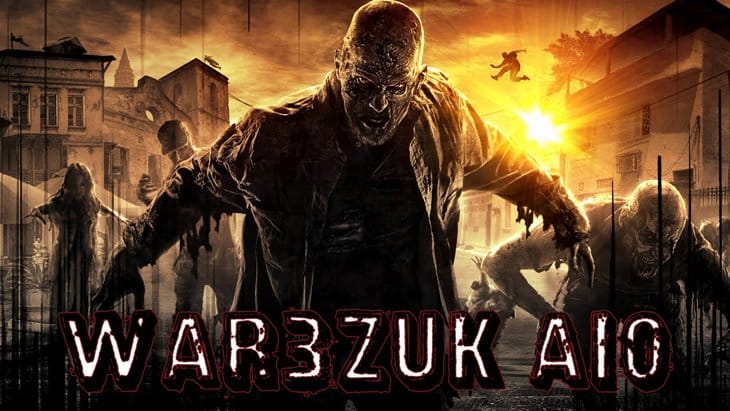
Image: War3zuk — AIO Overhaul
Like Darkness Falls, War3zuk is a matched-install mod. The launcher the author ships deploys a parallel client copy, and the same mod folder must be present on the server. As a server operator you should budget for the extra disk and RAM footprint the overhaul adds on top of a vanilla install, and expect a longer startup as the content streams in.
The canonical listing was updated in December 2025 with an extra-modlets changelog, and a V1.0 install guide from January 2025 confirms current compatibility. Pull files directly from the author's War3zuk AIO Overhaul listing so you stay on the supported release line.
Mega Backpack
Mega Backpack by Donovan expands the player backpack to 120 slots through an XML-only mod. It is the simplest kind of change you can make to a multiplayer server: no new assets, no new UI art, just larger inventory limits that everyone on the server inherits automatically.
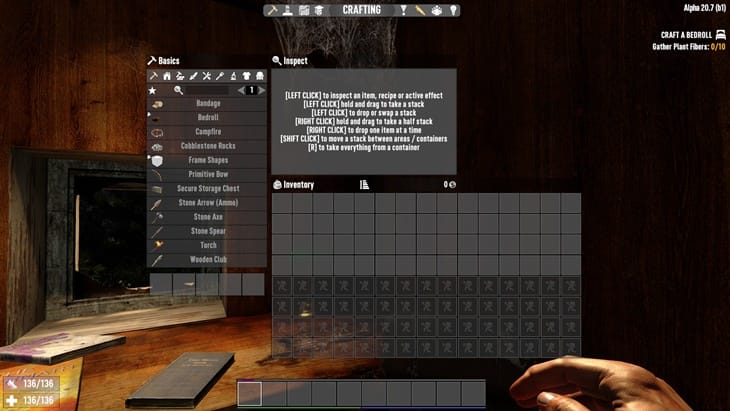
Image: Donovan — Mega Backpack
Because it is listed as server-side only, you can drop it into the server's Mods folder and connecting clients will not need any files themselves. That makes it a good candidate for a mixed group where not everyone wants to manage a modded install, and it slots in cleanly alongside other XML-only mods without load-order drama.
One honest caveat: the listing is indexed from January 2025, and a December 2025 Reddit thread shows players still hunting for a working larger-backpack server mod for the latest update, so post-V2.x compatibility is not firmly confirmed. Test on a staging server before you push it live, and pull files from the author's Mega Backpack listing rather than the confusable Bigger Backpack or TMO variants.
Hybrid Learn by Use
Hybrid Learn by Use by JoeSloeMoe layers a learn-by-use action-skill system on top of the vanilla perk tree, so your players earn progression by doing rather than only by spending points. Unlike mods that rip out the book system, this one runs alongside vanilla mechanics, which makes it a lower-risk addition for a mixed multiplayer group.
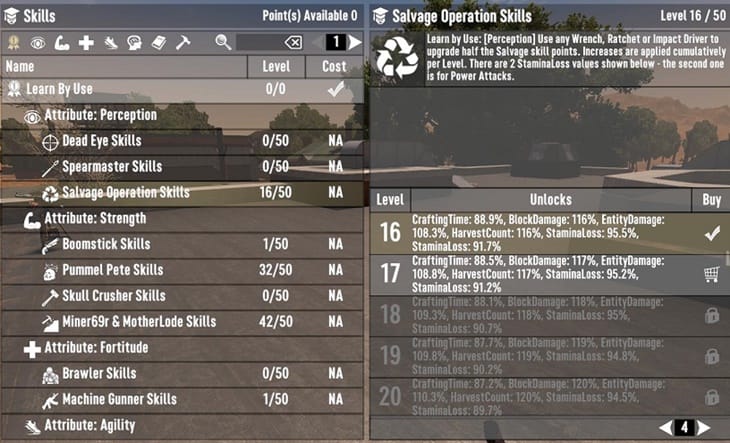
Image: JoeSloeMoe — Hybrid Learn by Use
For a server operator it is a clean install: XML-only, configurable through buffs.xml, with no client-side files required. You can tune the rate of skill gain on the server to suit your group's pace, which is useful when you have a mix of veterans and newer players sharing the same save.
The listing is current as of October 2025, and the author has been active on the Fun Pimps community forum. Do not confuse it with Learn By Doing Returns on Nexus, which replaces the book system entirely; grab this one from the author's Hybrid Learn by Use listing.
Realistic Guns Overhaul
Realistic Guns Overhaul by Generic German rebalances firearms across rate of fire, effective range, and ammo behaviour. The original standalone Realistic Silencers mod is folded into this package, so if you have been running the silencer mod on its own you can retire it and use the overhaul instead.
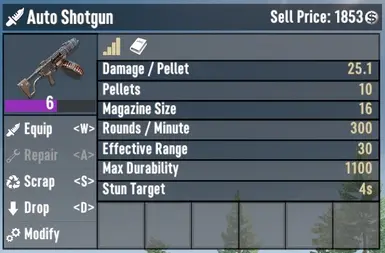
Image: Generic German — Realistic Guns Overhaul
Install scope is the weak point for server operators. The mod changes weapon stats through XML and typically behaves as a server-side change, but the author does not explicitly document multiplayer install. The safe default is to treat it as server-side with matched client recommended, test connect with one player first, and roll it out to the group only after the handshake succeeds.
The Nexus page was last updated in January 2024 and has no confirmed refresh for V2.x, so flag this as potentially stale and stage it carefully. The canonical download is the author's Realistic Guns Overhaul page on Nexus Mods.
Dedicated Server API (DSAIK)
Dedicated Server API, also known as DSAIK, is an open-source server-management mod that adds RESTful APIs and a web panel to a 7 Days to Die dedicated server. If you are operating the server rather than just playing on it, this is the one mod on the list that actually makes your job easier.
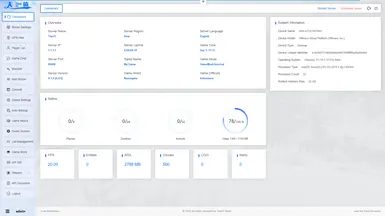
Image: Dedicated Server API — Nexus Mods listing
It is strictly server-side: clients do not install anything, and players on the server will not notice it running. The web panel gives you live player and world controls without you needing to SSH in for every command, which is valuable when you are running a blood-moon night and do not want to tab out of the game.
Maintenance cadence on the Nexus listing is thin, so pin a working version and do not auto-update. Be careful not to confuse DSAIK with IceCoffee1024's 7DaysToDie-ServerKit, which has overlapping scope but is a separate project; pull the correct files from the author's DSAIK listing on Nexus Mods.
Skills for HP and Stamina
Skills for HP and Stamina by Kenshut adds two Fortitude branches that let players level maximum health and maximum stamina, each capped at level 10. It is a small, focused progression mod that pairs well with longer-running servers where your group is looking for additional reasons to keep grinding past the mid-game.
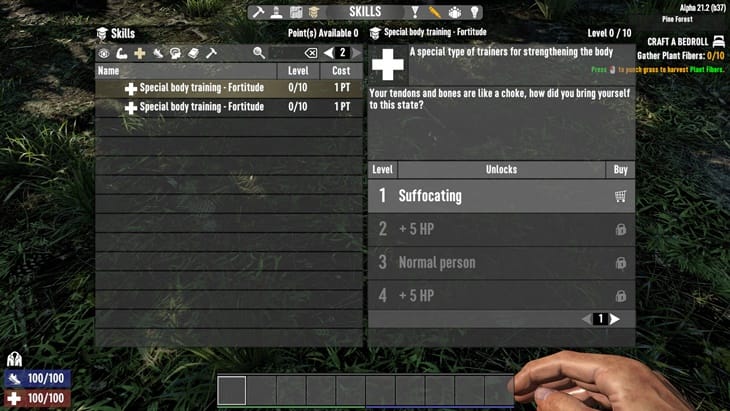
Image: Kenshut — Skills for HP and Stamina
For an operator the appeal is the zero-friction install: it is a simple XML addition with no client-side files, which means you can add it mid-wipe without asking anyone to redownload the game. It also plays nicely with other XML progression tweaks as long as you check for conflicting perk-tree edits.
The listing was indexed in September 2024 and the mod has been featured in community round-ups since. Grab the files from Kenshut's Skills for HP and Stamina listing.
Craft Tier Six
Craft Tier Six by The Freehold and Pahbi enables crafting of tier-six items and fixes a vanilla gate that blocked some weapons unlocked at higher crafting skill. For servers with long playthroughs it restores a late-game progression loop that some players feel the base game cuts short.
Image: The Freehold (Pahbi) — Craft Tier Six
It is XML-only and documented by similar tier-6 mods as server-side install, so clients do not need anything. Load order matters if you are running other crafting or recipe mods; put Craft Tier Six after other recipe edits to avoid one mod stomping on the other's additions.
The one real caveat is freshness: the Nexus page is dated April 2024, and V1.0 reintroduced some tier-6 crafting in vanilla, which can overlap or produce conflicting recipes. Test on a current game version before you commit to it in a live save, and get the files from the author's Craft Tier Six listing on Nexus Mods.
Frequently asked questions
Can you add mods to a 7 Days to Die dedicated server?
Yes. A 7 Days to Die dedicated server reads a Mods folder at startup, so you drop a mod's folder in there, restart the server, and the changes apply. Some mods are server-side only, while others need every player to install matching files on their client.
Do all players need the same mods on a 7 Days to Die server?
Not always. XML-only server-side mods, like Mega Backpack or Hybrid Learn by Use, run on the server alone and players connect with a vanilla client. Overhauls like Darkness Falls and War3zuk AIO require every player to install the same mod version as the server.
What are server-side only mods for 7 Days to Die?
Server-side only mods change values through XML without adding new assets or UI, so they do not require client installs. Examples on this list include Mega Backpack, Hybrid Learn by Use, Skills for HP and Stamina, DSAIK, and Craft Tier Six.
Does Darkness Falls work in multiplayer?
Yes, Darkness Falls works in multiplayer, but it is not a server-side drop-in. Every player must install the same Darkness Falls version as the server, and Easy Anti-Cheat has to be disabled on both the server and each client for joins to succeed.
How do you install War3zuk AIO on a dedicated server?
Install War3zuk AIO by copying the mod folder into the server's Mods directory and making sure every player runs the same version on their client. The author's launcher can deploy a parallel client copy, and the V1.0 install guide from January 2025 covers the current flow.
Are 7 Days to Die mods still working after V1.0?
Most of the mods on this list are actively maintained or recently indexed for V1.0, but a few, including Mega Backpack, Realistic Guns Overhaul, and Craft Tier Six, do not have confirmed V2.x updates from their authors. Test any older mod on a staging server before you run it on your live multiplayer save.
The practical shortlist above covers the bases for a mixed 7 Days to Die multiplayer server: two heavyweight overhauls, four progression and quality-of-life mods that stay server-side, a weapons rebalance, and a server-management API. Pick one overhaul lane, or skip overhauls entirely and stack the XML-only mods for a lighter-touch modded server, then stage every addition before you push it to your live save. If you want a server that can actually handle an overhaul's RAM and CPU footprint on blood-moon night without stuttering, our 7 Days to Die hosting is tuned for exactly that workload.