Why mod DayZ? ⚙️
DayZ is already brutal, unpredictable, and endlessly replayable but mods turn it into something truly your own.
From new maps and weapons to custom survival mechanics and full overhauls, the modding scene keeps this zombie sandbox alive and thriving. Whether you’re running a private world with friends or hosting a 100-player server, these mods can transform the experience completely.
🧱 DayZ Expansion
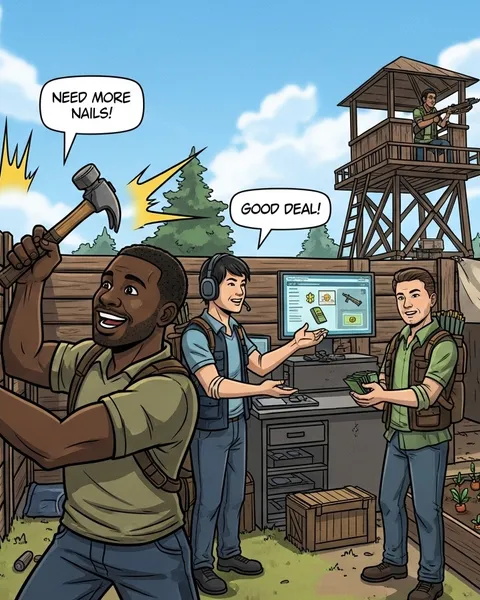
The most ambitious and complete overhaul mod ever made for DayZ. Expansion adds vehicles, base-building upgrades, trading systems, helicopters, and even custom server tools. It practically turns the game into a whole new survival sandbox.
✨ Highlights:
- Full vehicle physics and air travel
- Base-building with snap points
- In-game map markers and GPS
- Custom missions and events
🧠 Perfect for: Servers that want a “DayZ 2.0” experience with endless replayability.
🗺️ Deer Isle
A stunning community map featuring dense forests, massive bunkers, and mysterious island landmarks. It’s the ideal setting for exploration, loot runs, and base-building in a fresh environment.
🌲 Highlights:
- Unique terrain and hidden secrets
- Better PvE exploration flow than vanilla Chernarus
- Regular updates and strong community support
💡 Perfect for: Players who love adventure, long-distance travel, and discovery-driven survival.
🔫 Mass’sManyItemOverhaul (MMIO)
This mod adds hundreds of new weapons, clothing, and survival gear, all balanced and lore-friendly. From modern firearms to new melee options, it’s the go-to expansion for players who crave variety without breaking immersion.
⚙️ Highlights:
- Expands vanilla loot tables
- Fully compatible with other major mods
- Regular updates and bug fixes
🎯 Perfect for: Roleplay and PvP servers that want more depth and variety.
💼 Trader Mod
Give your server an economy. The Trader Mod introduces functioning traders that buy and sell items with in-game currency. It’s fully customisable - you can tweak prices, add new categories, or even create hidden black markets.
🛒 Highlights:
- Full in-game economy
- Buy/sell items via trader NPCs
- Integration with Expansion and Community Framework
💰 Perfect for: PvE, RP, or survival servers that want structured trading and progression.
🧩 Community Framework + Community Online Tools (CF + COT)
Essential backbone mods for most DayZ servers.
- Community Framework (CF) provides the scripting base that other mods depend on.
- Community Online Tools (COT) adds an in-game admin panel for teleporting, spawning items, managing weather, and more.
🧠 Highlights:
- Essential for mod compatibility
- In-game admin and moderation tools
- Custom event and spawn controls
💡 Perfect for: Server admins and mod-heavy setups.
🧱 BuildAnywhere Mod
Take control of your creativity. BuildAnywhere removes most base-building restrictions, letting players place structures on uneven terrain or closer to existing objects.
🪓 Highlights:
- Easier, faster base construction
- Works with vanilla or Expansion base systems
- Great for creative builders and roleplay servers
⚙️ Perfect for: Builders who want flexibility and freedom.
🌧️ BaseBuildingPlus (BBP)
A must-have for any serious base builder. BBP expands the building system with stronger walls, new materials, and custom defensive options.
🧱 Highlights:
- Adds concrete, glass, and metal parts
- Fully modular design system
- Integrates perfectly with Trader and Expansion
🧠 Perfect for: PvP and base-defence-focused servers.
💬 Schana Party Mod
A simple but brilliant mod that adds a party system, perfect for friends and squad-based play. Players can see their teammates’ health, location, and direction on the HUD, making coordination much easier.
👥 Highlights:
- Customisable HUD elements
- Optional map and compass integration
- Lightweight and server-friendly
🤝 Perfect for: Co-op or roleplay servers where teamwork matters.
🧠 VPP Admin Tools
One of the most powerful administration mods in DayZ. It offers advanced player monitoring, real-time map control, event creation, and extensive logging - all from an easy interface.
🛠️ Highlights:
- Spectate and manage players live
- Spawn custom loot and vehicles
- Great for hosting events or roleplay servers
💡 Perfect for: Server admins who want full control without touching config files.
Installing mods safely 💾
- Subscribe to your chosen mods via the Steam Workshop.
- Add their Mod IDs and Workshop IDs to your server launch parameters or config.
- Restart your server, DayZ will automatically load the active mods.
- Double-check load order, as dependencies (like CF or COT) must load first.
🧠 Pro tip: Test new mods on a private server before going live to avoid conflicts.
Balancing performance 🚀
Mod-heavy servers can eat resources fast.
- Keep only essential mods active.
- Restart the server every 6–12 hours to refresh memory.
- Monitor logs for errors and dependencies.
- Avoid stacking multiple overhauls unless you’re on high-end hardware.
If you’re hosting through ChipHead, your DayZ server already runs on tuned hardware with easy mod management, ideal for ambitious setups and long-running communities.
Final thoughts 💭
Mods are what keep DayZ evolving, turning a harsh survival world into a living sandbox. Whether you’re building trading hubs, flying helicopters, or surviving in new lands, there’s a mod to match your playstyle.
Start small, grow gradually, and curate your collection carefully. With the right mix, your DayZ server can become a truly unforgettable survival experience. 🧟♂️💪